
To authorize GitLab Enterprise for your organization, we will need you to create an OAuth application on your GitLab instance. Please follow these steps:
Create GitLab OAuth App
Create Application (6 steps)
- Group Settings
- Application Name
- Redirect URI
- API Scope
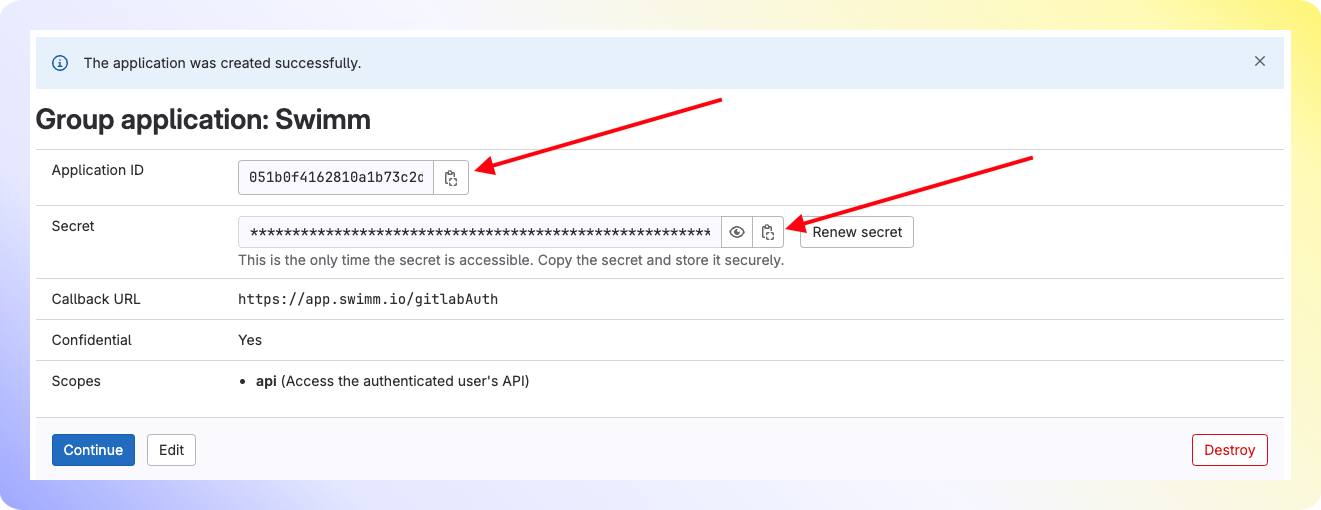
- Info for Swimm
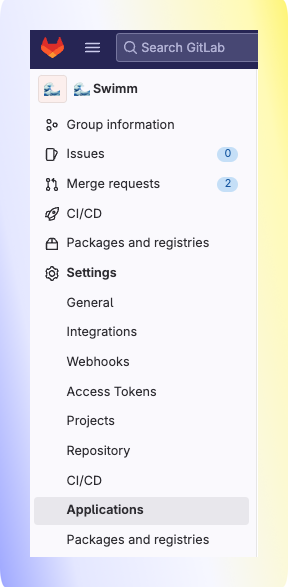
Navigate to the group's settings page and click Applications.
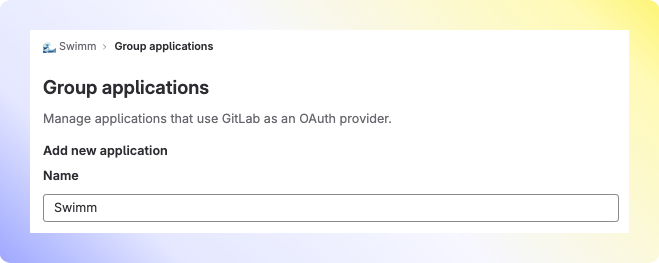
Type Swimm for the application name.
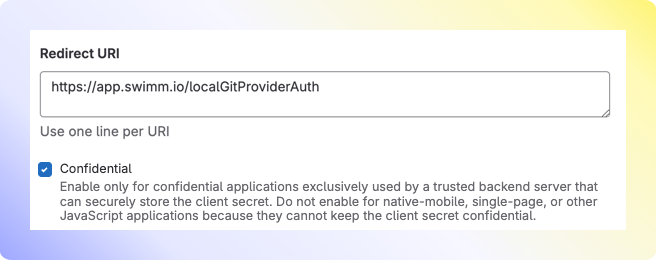
- Copy/paste our Redirect URI:
https://app.swimm.io/localGitProviderAuth - Keep Confidential checked ✅
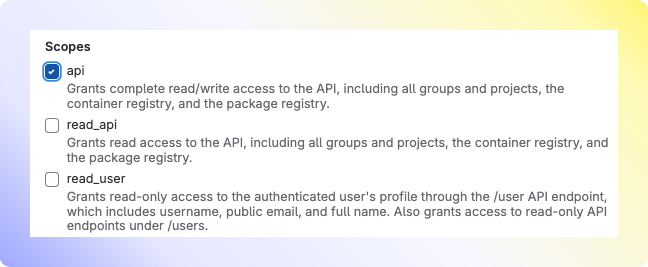
In Scopes, select api. Click save application.
Swimm will need the Application ID, Secret, and your GitLab Enterprise Server URL.
Comments
0 comments
Please sign in to leave a comment.